Now available · Resumly for iPhone

Your job search, now on iPhone.

Review roles matched to your resume, start tailored applications on supported jobs, and keep Autopilot and employer replies close.

Download on the App StoreAndroidComing soon

Free download · Built for iPhone · Requires iOS 15.1 or later

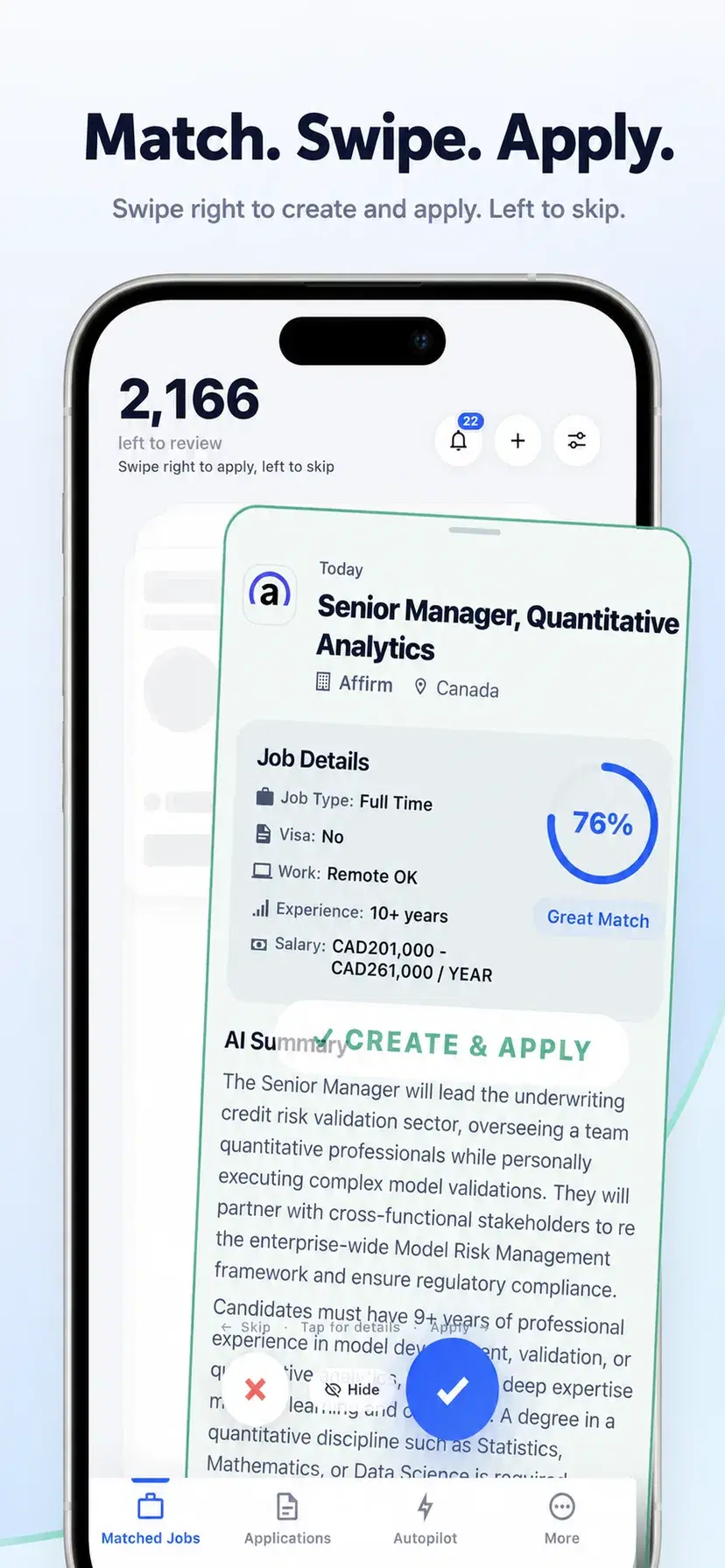
Resumly matched-jobs deck with a resume match score

Trusted by 100,000+ job seekers

1M+applications submitted1M+listings aggregated monthly200+resume templates

Set up your search in three steps

  1. 1

    Add your resume

    Upload the resume you already have. Resumly reads your experience and builds your profile from it.

  2. 2

    Say what you want

    Titles, locations, salary floor, remote or not. Resumly searches continuously and scores everything against your background.

  3. 3

    Swipe, or let it run

    Swipe right to start a tailored application on supported jobs, or let Autopilot work through eligible matches for you.

Autopilot

It applies while you get on with your day.

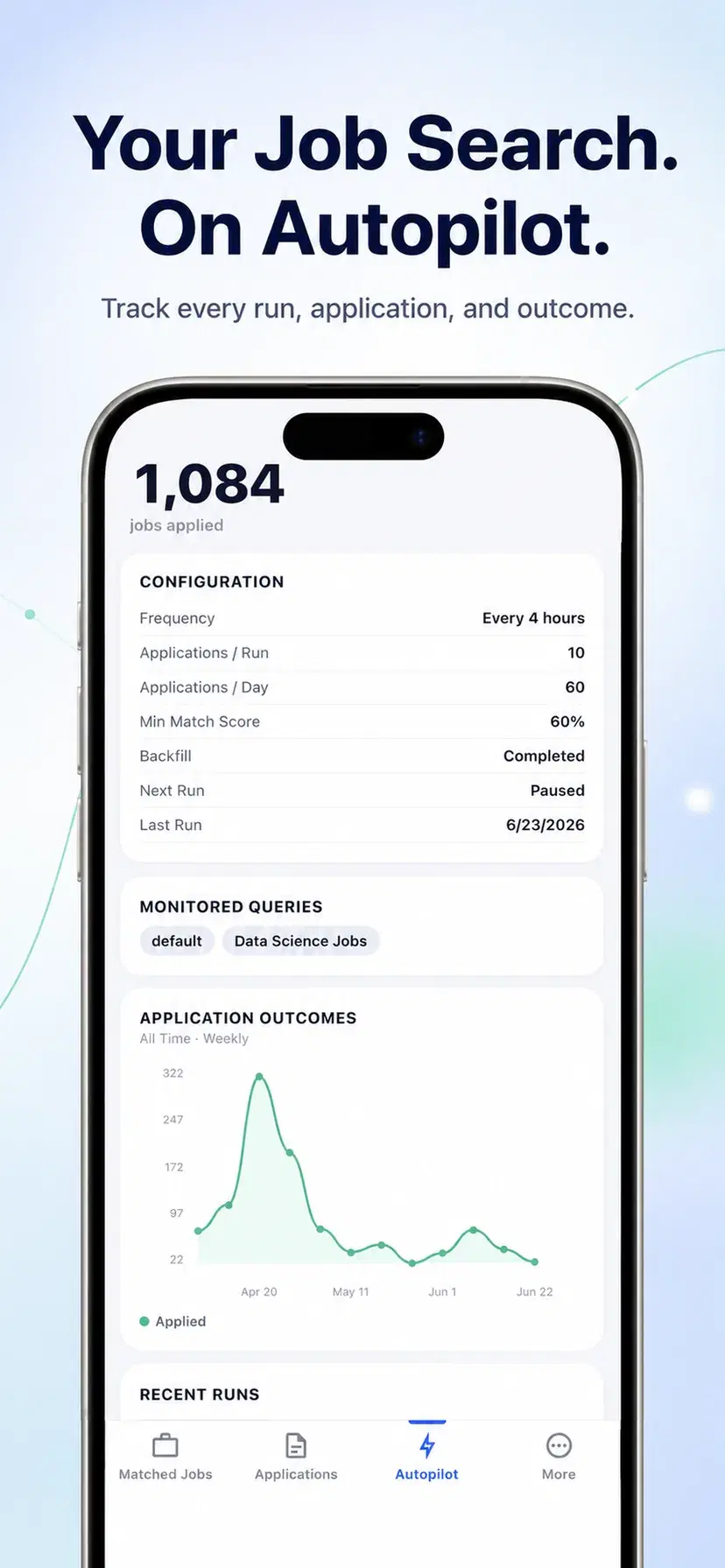
Switch it on and Resumly works through matching roles on supported application sites, within the limits you choose. Pause it in one tap whenever you like.

  • Runs on a schedule, within your plan and daily limit
  • Each run and submission status is logged
  • Pause or stop at any moment
Autopilot activity and schedule in the Resumly iPhone app

Tailored resumes

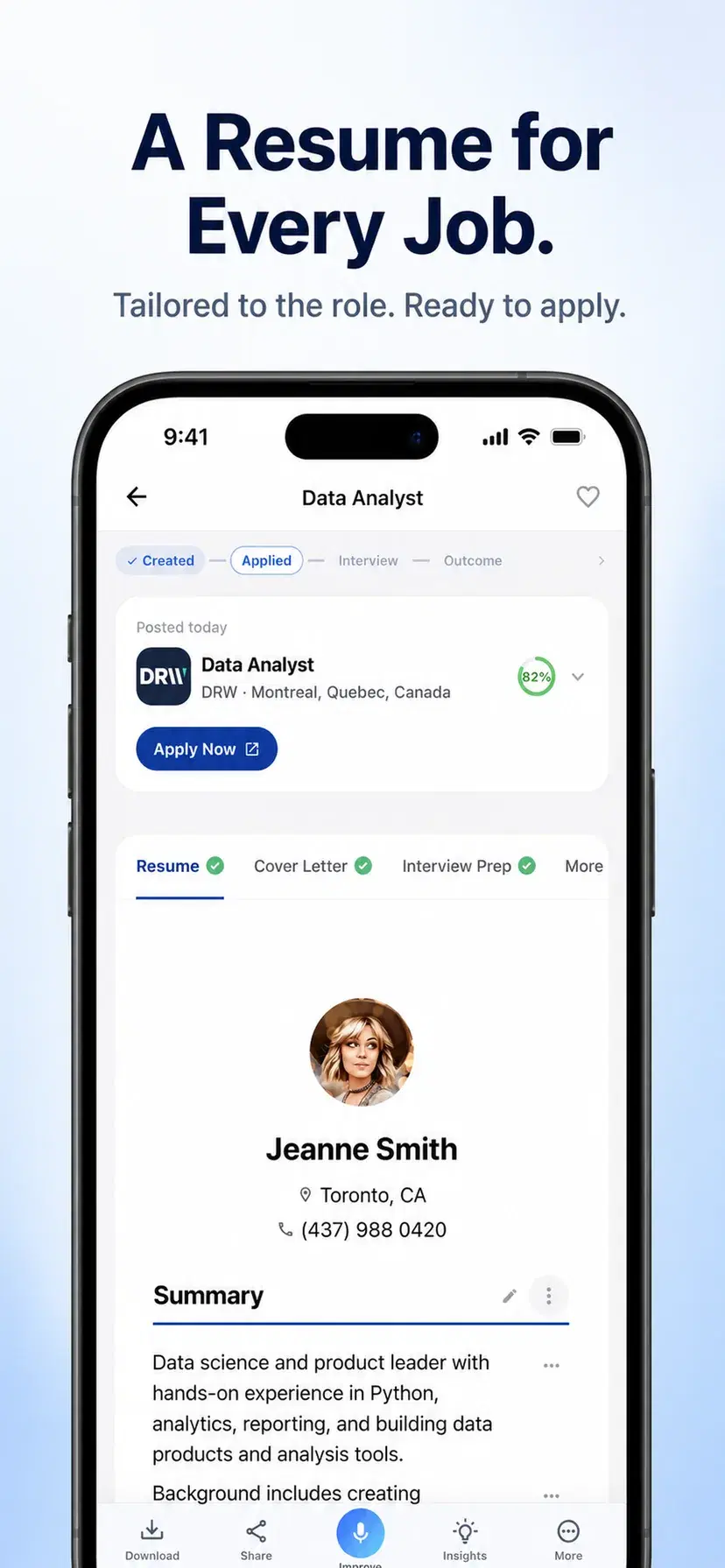
A resume tailored to the role.

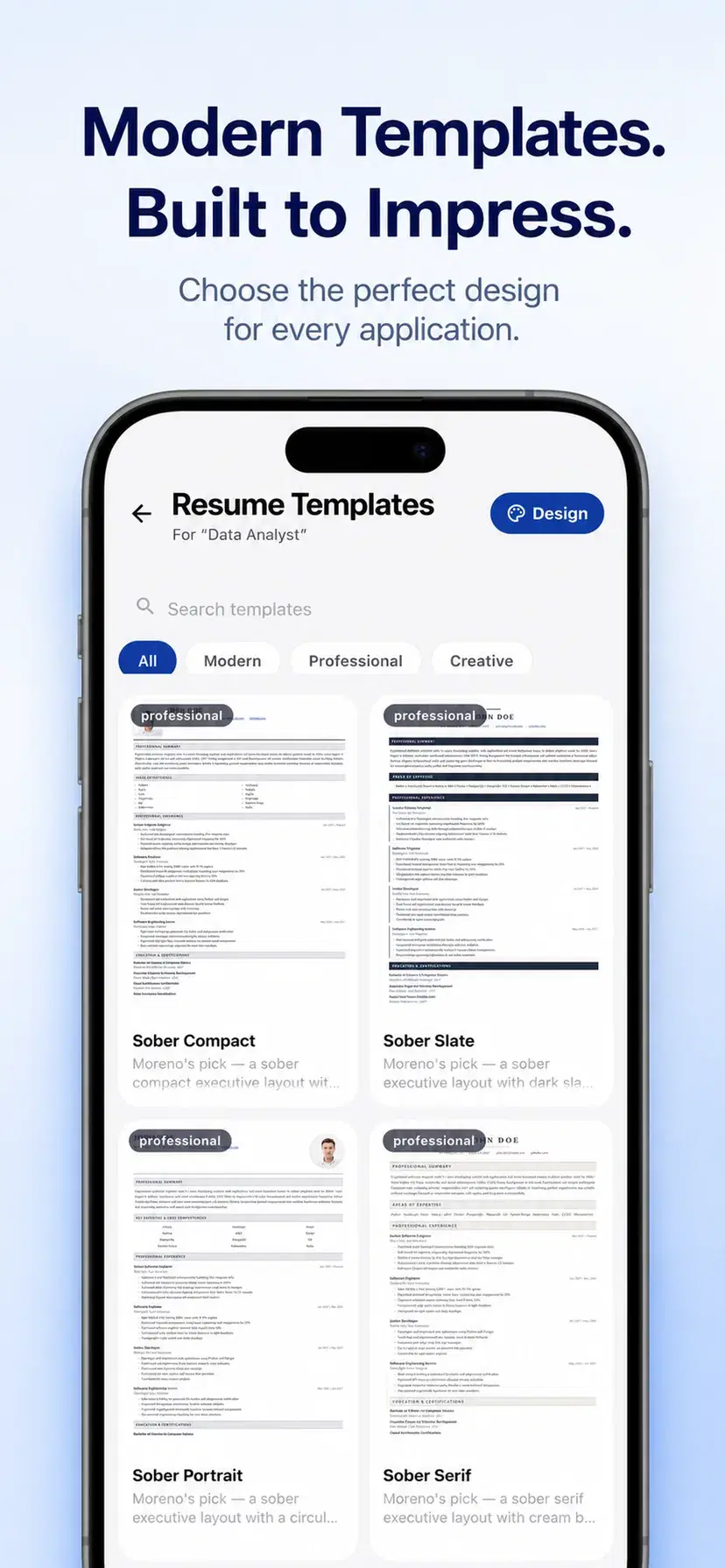
Resumly rewrites your resume around the posting in front of you — surfacing the experience that role actually asks for, in a layout applicant tracking systems can read.

  • Rewritten per posting, not one generic file
  • Layouts designed for applicant tracking systems
  • Cover letters from the same context
A job-specific tailored resume in the Resumly iPhone app

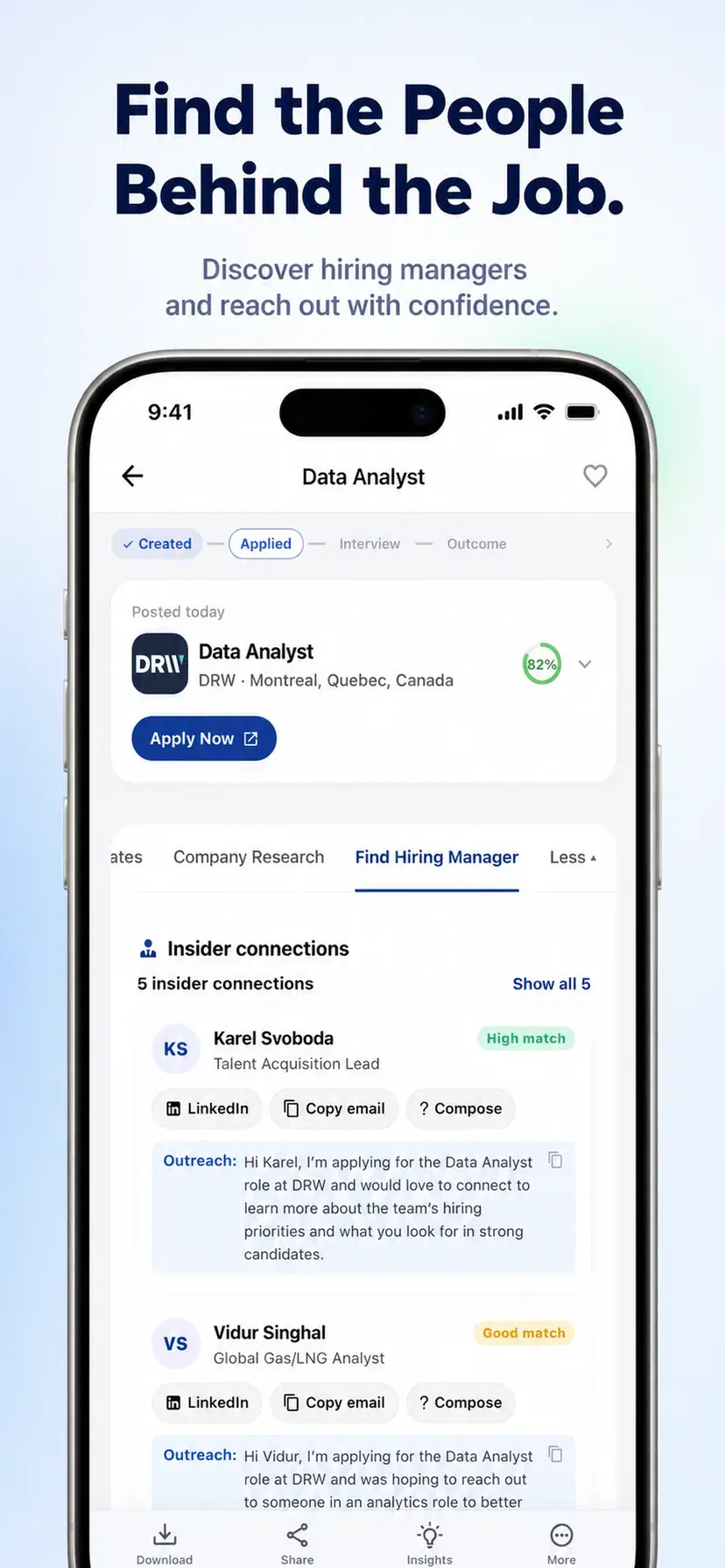
Insider connections

Find the person behind the posting.

See who does the hiring for a role, with a first message already drafted. Copy the email, open LinkedIn, or edit the draft before you send it.

  • Hiring managers and recruiters for the role
  • Outreach drafted from the job and your resume
  • Copy, edit, or open LinkedIn directly
Hiring-manager leads and a drafted outreach message for a matched job

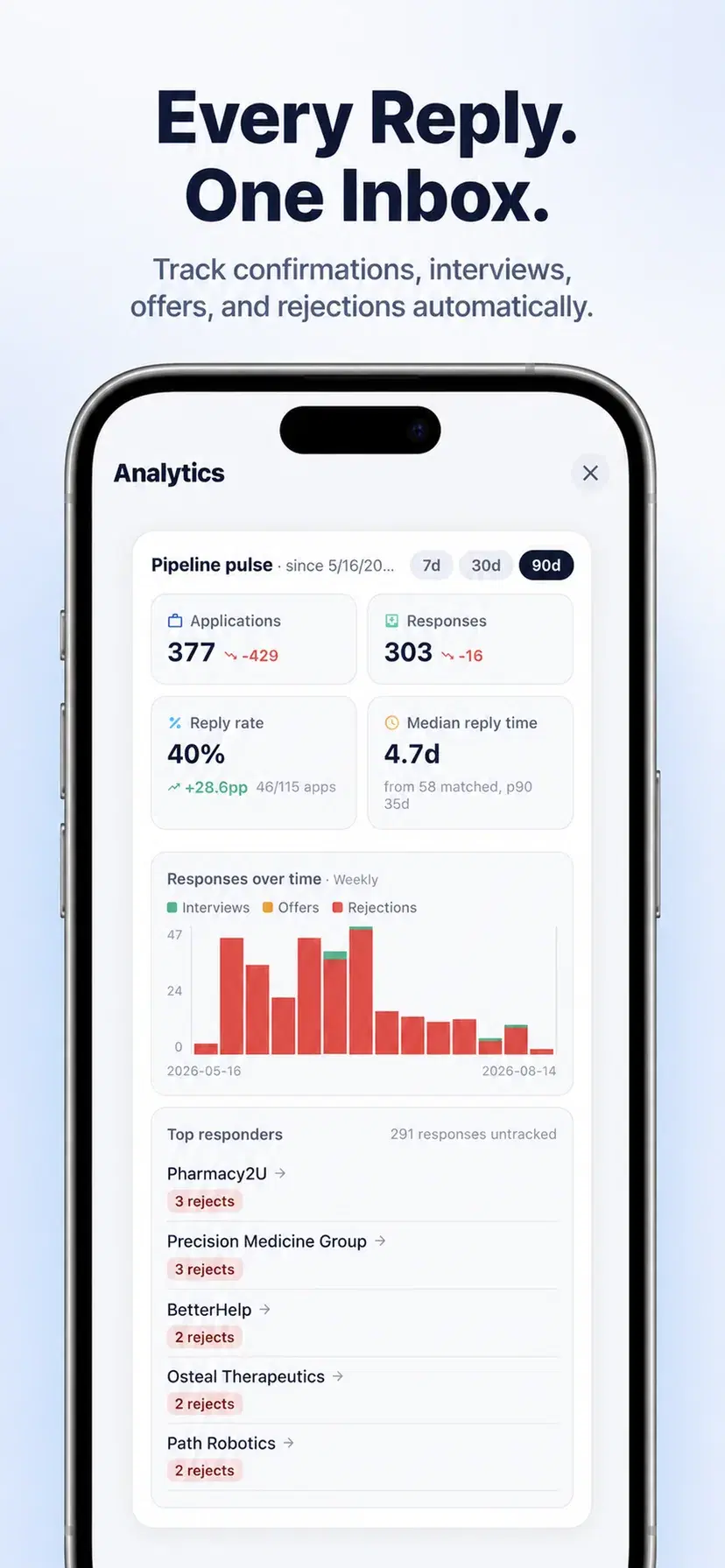
Responses

Job-search replies, organized in one place.

Confirmations, interview requests, offers, and rejections received in your Resumly inbox are organized as they arrive, with reply-rate and response-time analytics.

  • Reply rate and median response time
  • Interviews, offers and rejections over time
  • Which companies actually respond
Application response analytics in the Resumly iPhone app

You stay in charge

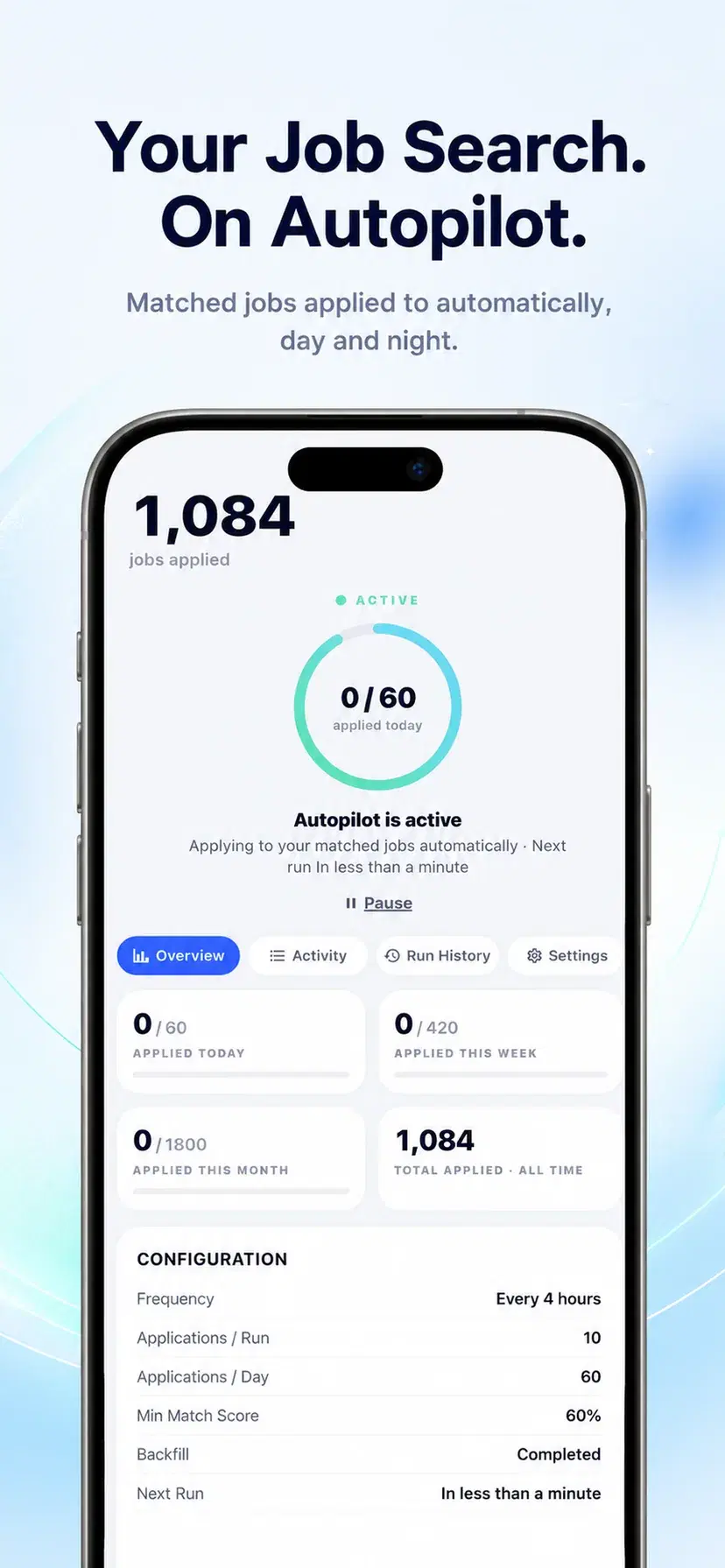
Autopilot follows the limits you set.

It is off until you switch it on, and it stops the moment you pause it. Hide a job or exclude a company, title, or location from future matches. Supported applications run on Resumly's server fleet, so they do not depend on keeping the app open.

  • Off by default, paused in one tap
  • Daily limits you set yourself
  • Exclude jobs, companies, titles, or locations
  • Cancel a queued application before submission
Autopilot schedule, application limits, and minimum match score

Why job searching belongs on your phone

Almost nobody looks for work in one uninterrupted sitting. Job searching happens in fragments — on a commute, in a queue, in the twenty minutes before bed, in the gap between two meetings. The tools most people use were built for the opposite: a desk, a large screen, an hour of quiet, and a spreadsheet somewhere to remember what you sent.

That mismatch is why so many searches stall. Not for lack of ambition, but because the moment you actually have to search in is five minutes long, and opening a laptop to re-filter a job board does not fit in five minutes. A phone does. Resumly for iPhone is built around the shape of the time people really have.

A deck, not a list

A job board hands you a list and leaves the work to you: open, read, decide, go back, repeat, lose your place. Resumly gives you one role at a time, with its match score against your actual resume, and two gestures. Swipe right to start a tailored application. Swipe left to skip. Skipped jobs remain available in your search history if you want to revisit them later.

That makes a long result set easier to review in short sessions: one decision at a time, without losing your place in a paginated list.

Applications that happen without you

Swiping is still work. Autopilot is the version where the work happens anyway. You set the frequency, how many applications you are willing to send a day, and the minimum match score you will accept — and it works through eligible roles on supported application sites, whether or not you opened the app.

It is off until you switch it on, capped by limits you choose, pausable in a single tap, and every submission status is listed in the app. The point is not to remove you from your own job search; it is to stop the search dying on the days you have no time for it.

A resume per job, not one resume

One generic resume can bury the experience that matters most for a particular role. Each posting emphasizes a different mix of responsibilities, skills, and language, even when the job titles look similar.

Resumly rewrites your resume around the posting in front of you, surfacing the experience that role actually asks for, in a layout parsers can read. The same context can produce a cover letter when you want one, without rebuilding either document field by field on a phone.

Knowing what is actually working

Most job seekers cannot answer basic questions about their own search. How many applications went out last month? What share got any reply at all? How long does a response usually take? Which companies never answer?

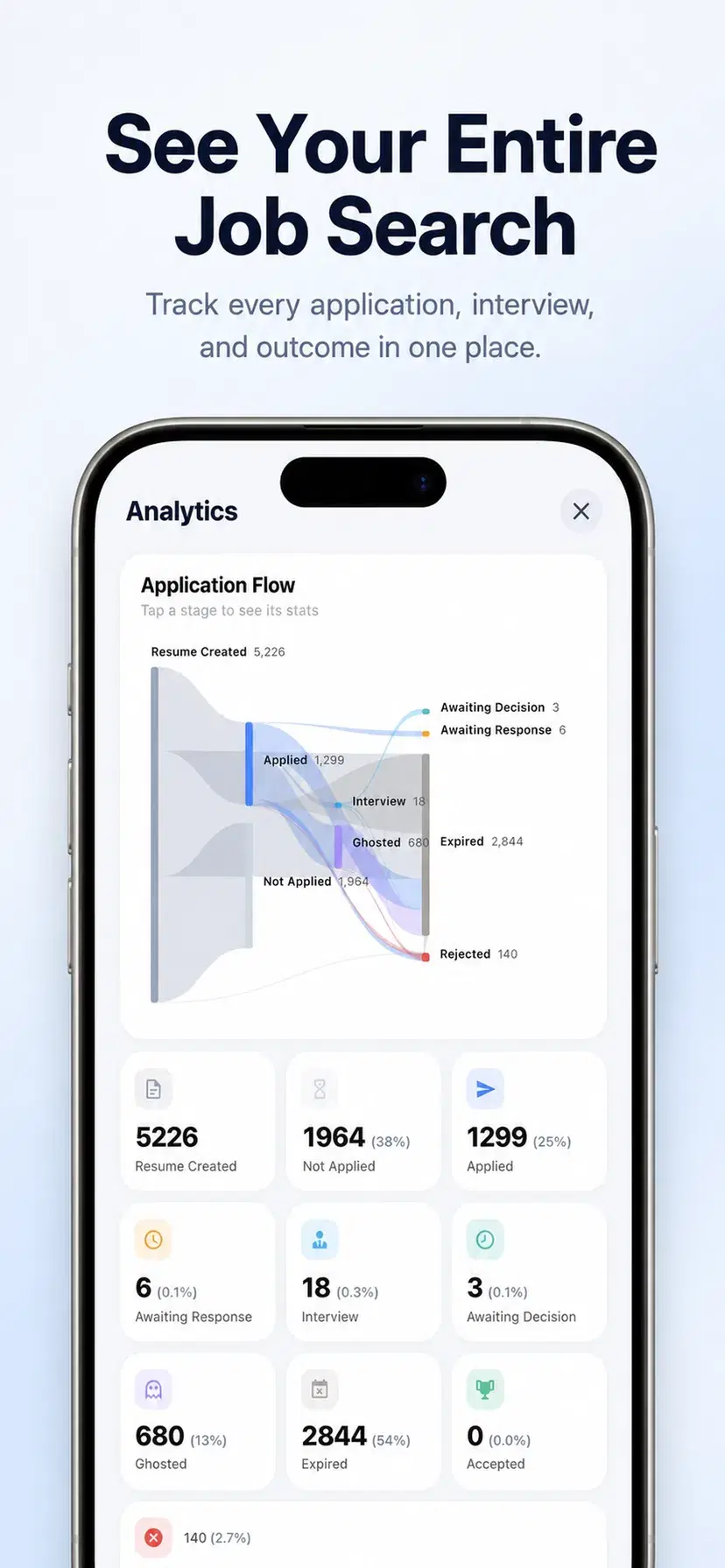
For supported applications submitted through Resumly and messages received in your Resumly inbox, the app can answer those questions without a separate spreadsheet. You get a pipeline view, reply rate, median response time, and a clearer record of which employers respond.

What the app does that a mobile browser cannot

The Resumly web app works in a phone browser, and for some people that is enough. The native app earns its place in three ways.

Gestures. The swipe deck is the interface, and swiping is a native interaction. In a browser it is an approximation.

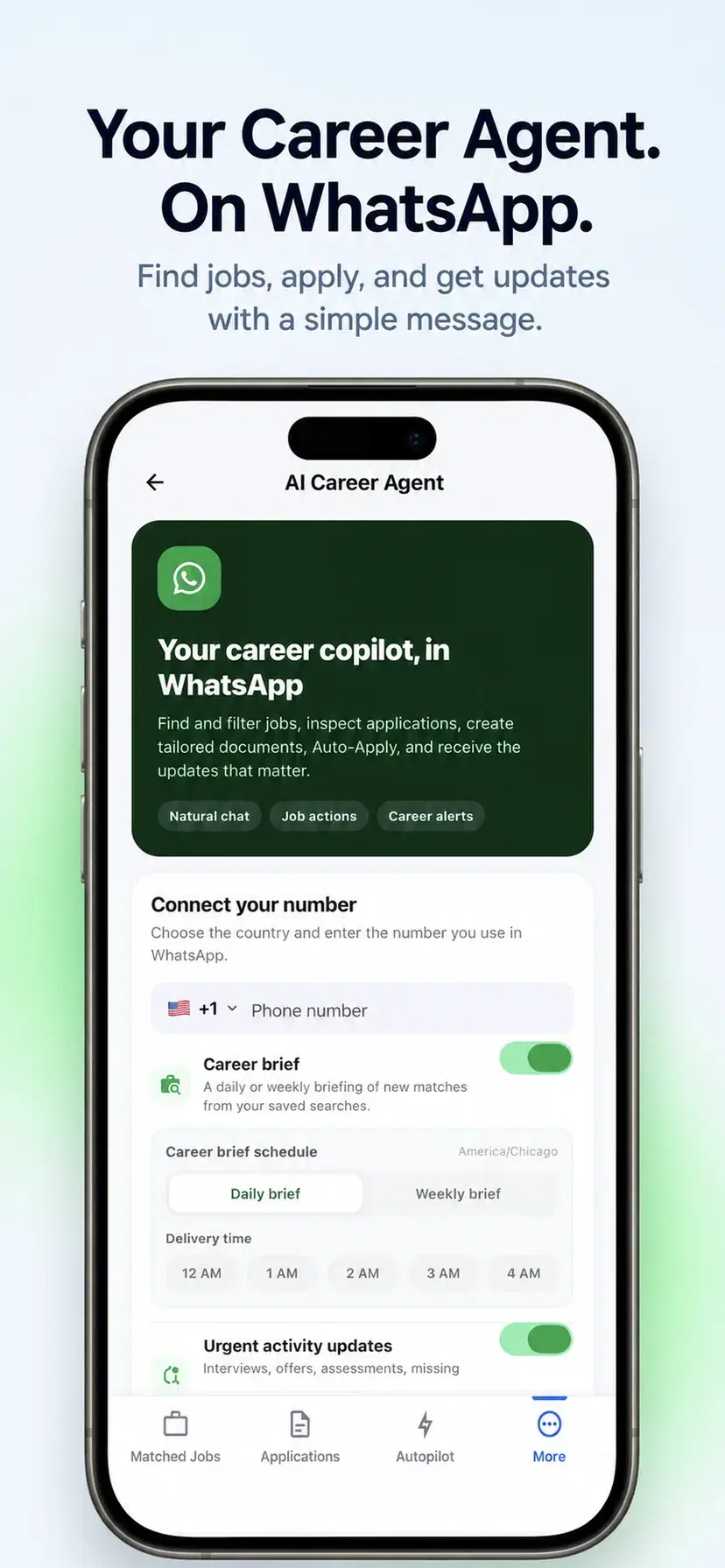
Notifications. When you enable them, interview replies, action-needed updates, and Autopilot summaries can reach you as push notifications instead of waiting in an email folder.

It is one tap away. An icon on a home screen gets opened. A bookmark does not. The whole argument for mobile is reducing the distance between intent and action, and an installed app is the shortest version of that distance.

Start with the resume you already have

Upload the resume you already have — no rebuilding it field by field. Resumly reads your experience and builds your profile from it. Tell it the titles and locations you want, and whether you will consider remote. Resumly searches and scores what it finds against your background, then brings the results into your matched jobs deck.

From there you can review by hand, switch on Autopilot, or do both. It is free to start, there is no card, and everything syncs with the web app if you prefer to do longer sessions at a desk.
Free to download

Start free. Upgrade when you need more automation.

The Free plan lets you set up your search and try the connected workflow without a card. Optional subscriptions increase usage limits and unlock more capable AI models. Your plan and work stay in sync between iPhone and the web.

Compare Resumly plans

Questions about Resumly for iPhone

Downloads, accounts, subscriptions, supported iPhones, and Android availability.

Yes. There is a free plan and it does not ask for a card. You can upload a resume, set up a job search, review your matches and track applications without paying. Paid plans add more saved searches, a higher daily application limit, and stronger AI models for tailoring documents.

It matches jobs to your resume and lets you act on them from your phone. Swipe right to start a tailored application on a supported job or left to skip it. Autopilot can work through eligible matches on supported application sites, within the limits you choose. Submission statuses and messages received in your Resumly inbox are organized in one place.

No. You can sign up inside the app with Apple or an email address. If you already use Resumly on the web, signing in brings your resumes, searches, matches, and application history across — the app and the web use the same account.

Autopilot is off until you switch it on. Once enabled, it works through eligible matches on supported application sites that clear the minimum match score you set, within your plan and daily limits. You can pause it in one tap, and each submission status is listed in the app.

Subscriptions purchased in the app are billed by Apple, so they are cancelled through Apple: open Settings on your iPhone, tap your name, then Subscriptions, and choose Resumly. Plans bought on the Resumly website are cancelled in your account settings there. Cancelling stops future renewals; you keep your plan until the end of the period you have already paid for.

Yes. Go to More, then Account Settings, and choose Delete account. Follow the confirmation steps to deactivate the account and stop access. For a separate data-erasure request, use the contact details in Resumly’s Privacy Policy.

Resumly is built for iPhone and requires iOS 15.1 or later, matching the current App Store listing. Android is coming soon; the Resumly web app works in a mobile browser in the meantime.

Not yet. Resumly for Android is coming soon, and there is no Play Store download link today. Until it ships, use the Resumly web app in a mobile browser or connect the WhatsApp career agent on Android.

Take your job search with you.

Download Resumly for iPhone, or keep using the same account on the web.